
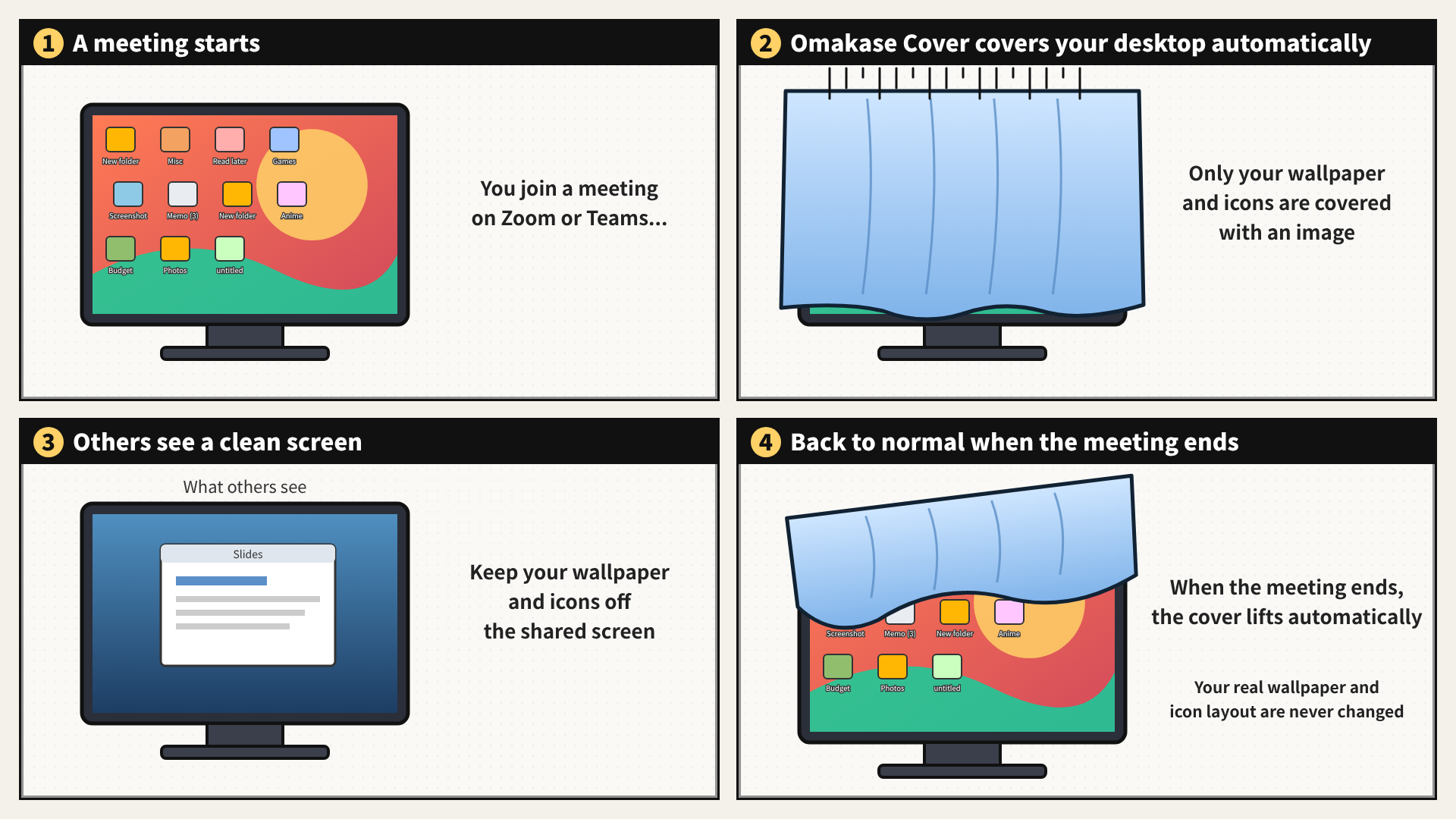
Features
- Covers your desktop automatically when a call starts or a streaming app opens, and uncovers it when it ends.
- Cover or uncover any time with a keyboard shortcut or from the system tray.
- Covers every monitor. You can turn individual monitors off.
- Keep up to 6 app icons on the main monitor so you can still open what you need.
- Use an included image or your own picture for the cover.
Supported apps: Zoom, Microsoft Teams (new Teams), Discord, OBS Studio, Streamlabs Desktop, Google Chrome, and Microsoft Edge (for meetings in the browser).
How it works
The app reads Windows' own record of which apps are using the microphone. It never listens to the audio. When a supported app starts using the microphone, the app places an image over your desktop. A few seconds after the call ends, your desktop comes back. Your real wallpaper and icon layout are never touched.
Good to know
- It covers your wallpaper and desktop icons. It does not hide open windows.
- Chrome and Edge trigger the cover whenever any website uses the microphone, not only meetings.
- When OBS Studio or Streamlabs Desktop is set to use a microphone, the cover stays on for as long as the app is open.
- Muting does not end the call, so the cover stays on.
- If the app stops or is closed, the cover goes away and your real desktop shows.
- For Windows 11.